SEO is an intricate web of techniques, tools, software, and strategy, but in this series, we plan to break each section down for you so you can do it all for free. In this blog, we plan to break down the amazing range of free tools that we believe to be the best at helping you get those super SEO results.
So Suit Up Because We Are About To Dive Into The Tools.
Contents:
While there are many different tools that can help you dive deep into the world of search engine optimisation, we have hand-selected the best from around the web:
All these tools are free to use and offer great insights into the world of SEO.
The tools are like your digital utility belt, they help you build a great website that has some strong foundations. The first tool that we will dive into is Google Analytics.
Google Analytics is a powerful tool for managing your website, even outside of SEO; it's a must-have. From analysing traffic and tracking conversions, and audience metrics. Google Analytics is a great asset to have in your digital toolbelt.
Regarding setting Google Analytics up, let's break it down step-by-step:
Step One:
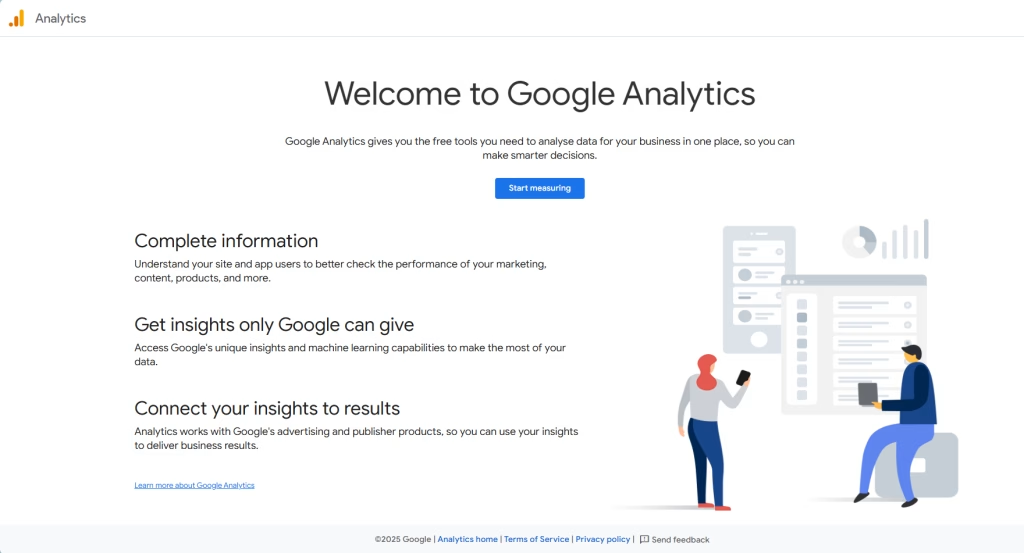
Navigate to analytics.google and log in with your Google account
Step Two:
When you log in, if this is your first Google Analytics account, then you will be met with this; if this isn't your first one, then you will need to create a new Google Analytics account.
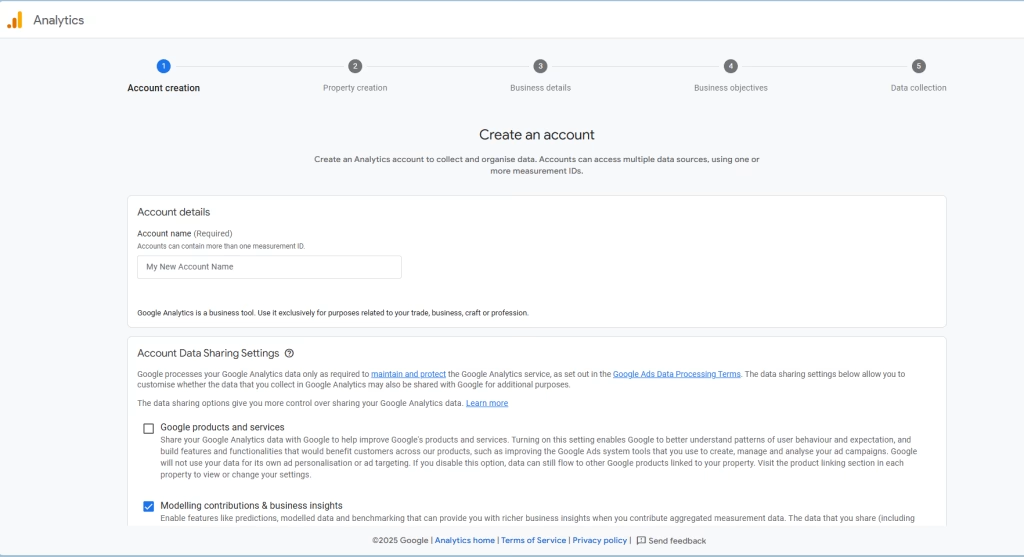
Fill in the account name (with your brand name) and then make sure the bottom box is ticked.
Step Three:
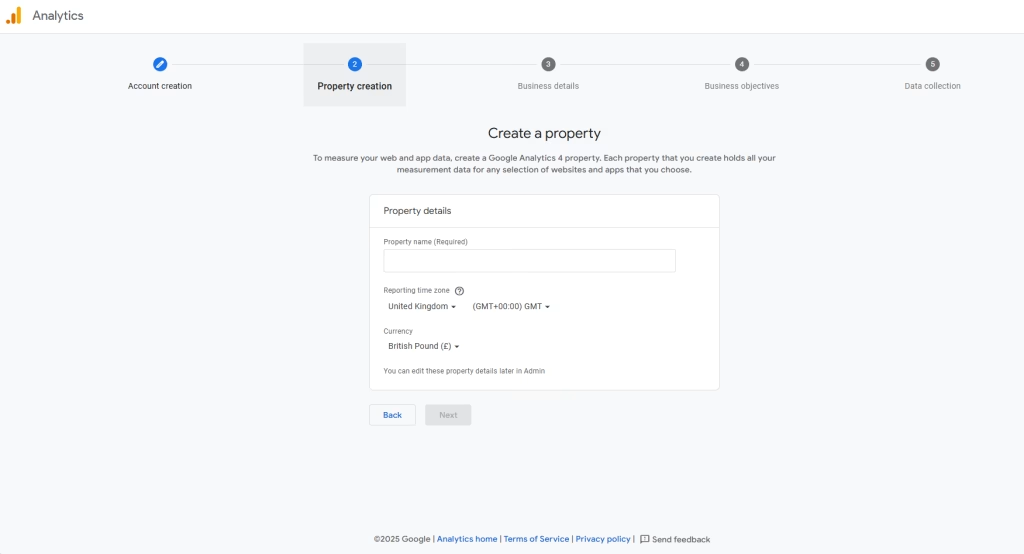
When on the property creation section, this will be the first step to setting up your analytics property. Type the name of your brand, change the time zone to match your brand's operating time zone and ensure that the currency is the one that you use.
Step Four:
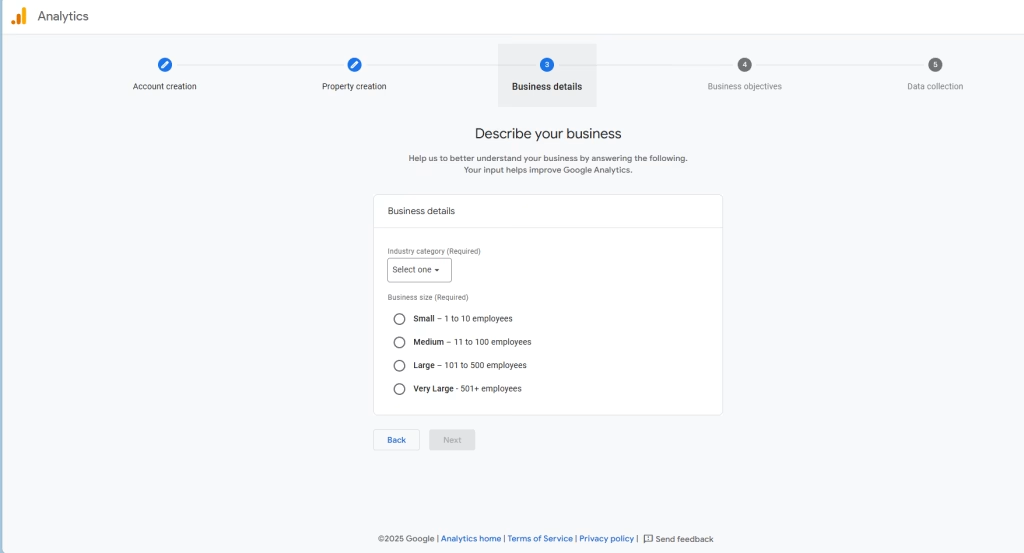
The next part is all about your business. Choose the industry (if yours is not there, then choose "other") and tell Google the size of your business.
Step Five:
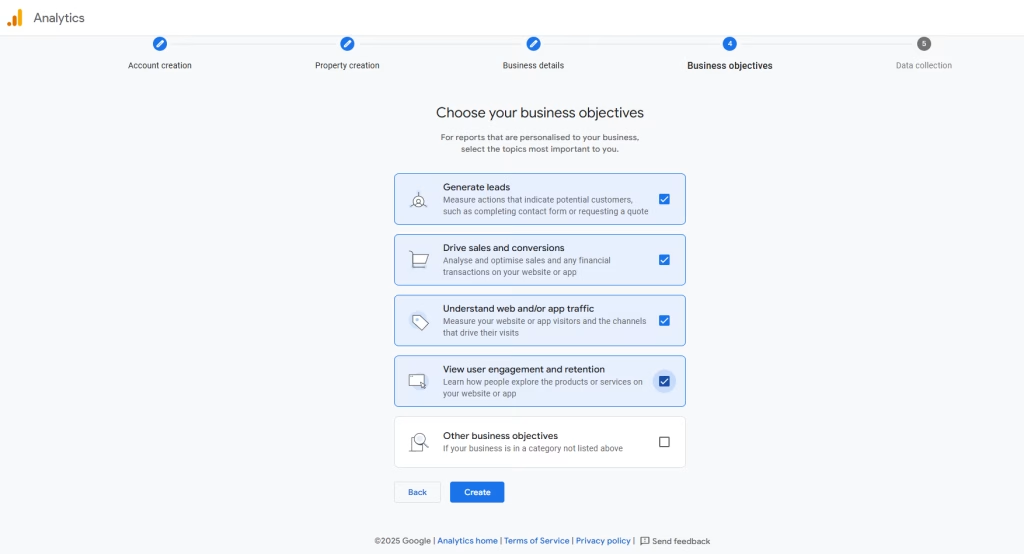
This next part controls what Google Analytics will track for you. When setting this up, it's best practice to choose everything excluding "other business objectives".
Step Six:
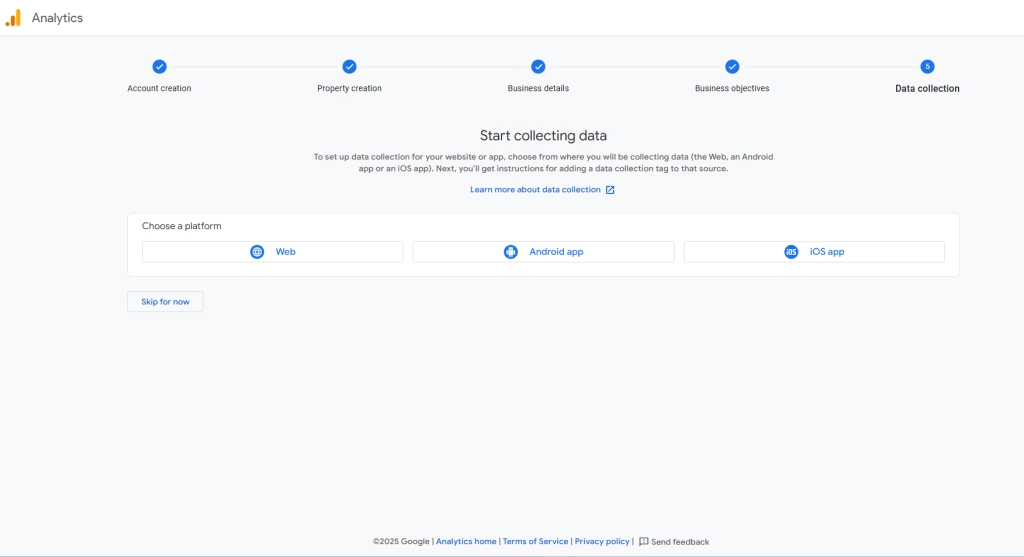
This is the part of the setup where you tell Google where you would like it to take data from. In this series, we are going to take data from a website.
Click the Web data stream.
Step Seven:
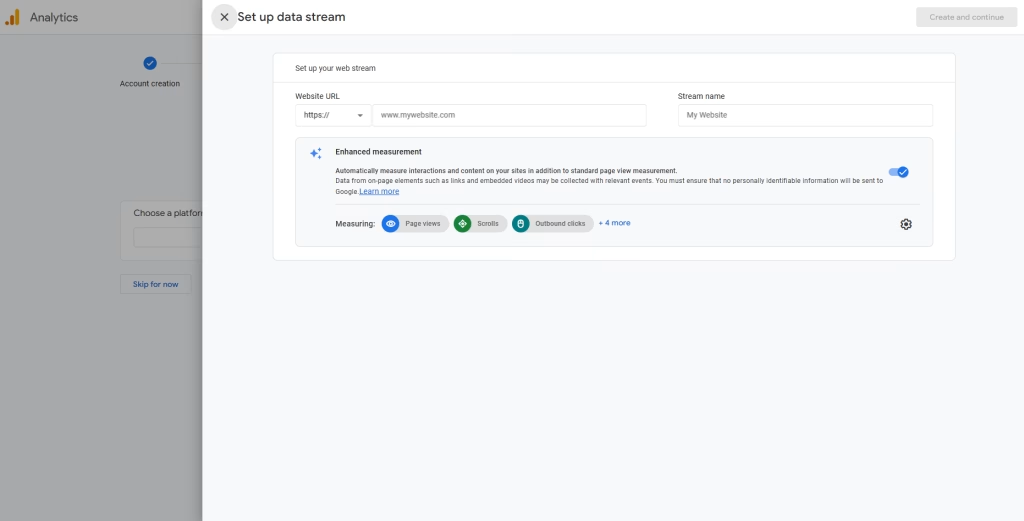
Input your websites URL without the "https://" and Google will automaticly fill in the website name after you insert the URL.
Step Eight:
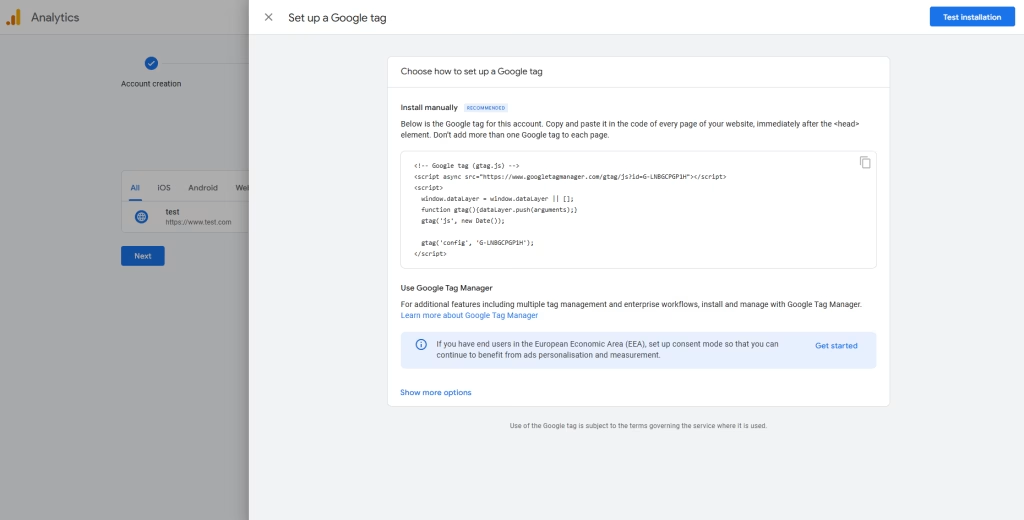
Once you've inserted the URL and clicked next, it will give you two options: 1) insert the code with a plugin or 2) insert it manually. In this on,e we'll show you how to add it manually.
All you have to do is copy and paste the code into the header of your site.
Step Nine:
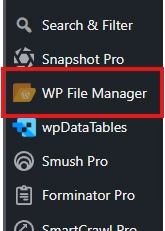
You can install this plugin for free on your site and this allows you to access your sites files and access the heading file.
Step Ten:
Navigate to the plugin <wp-content<themes<(click on your active theme), right click the header.php file and click edit. Copy and paste the code inside the script tag and click save.

In Relation to Google Analytics, the next tool works well with it, and that tool is Google Search Console.
Google Search Console is a great tool for looking at indexing your site and having a good understanding of what your site already ranks for in the search engine results page. Google Search Console will use Google Analytics to verify if you have access to the site, which makes the process a lot smoother, but we're going to cover this setup anyway.
Step One:
The first step is to head to Google Search Console website and you'll be met with this.
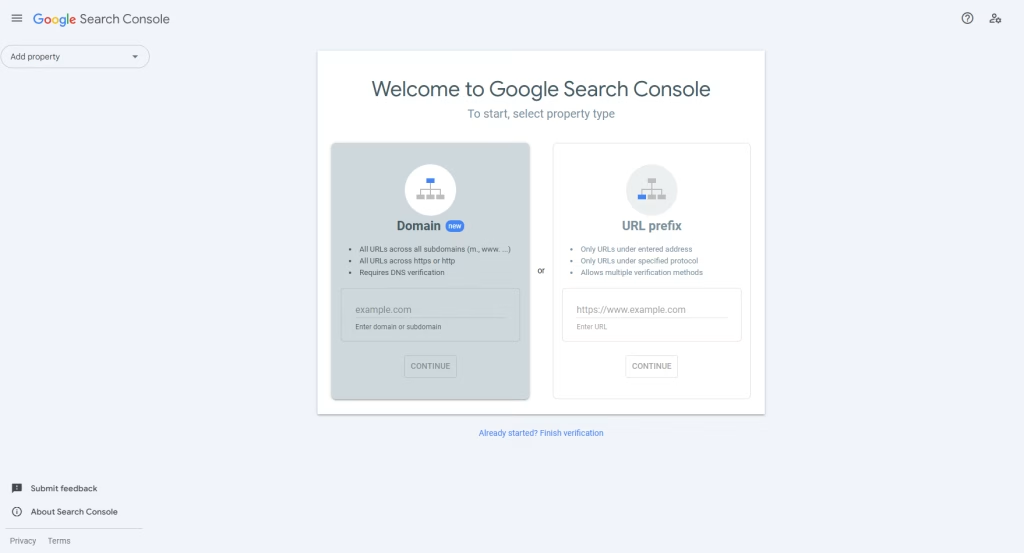
Click on the URL prefix option and enter your site's URL. If you've set up Google Analytics correctly, then you won't have to do anything else.
The next key tool you'll need is a keyword research tool, and there's no better free option than Google Keyword Planner.
To bring all of the aforementioned tools together, you're going to need a way to manage all of these tags. And this is where Google Tag Manager comes in handy.
Google Tag Manager is the tool that you need to be able to ensure that conversion tracking is set up for a wide range of things. When paired together with Google Analytics it becomes a great tool in your digital tool belt.
Here's how to set it up:
Step One:
Head to Google Tag Manager and log in with your Google Account.
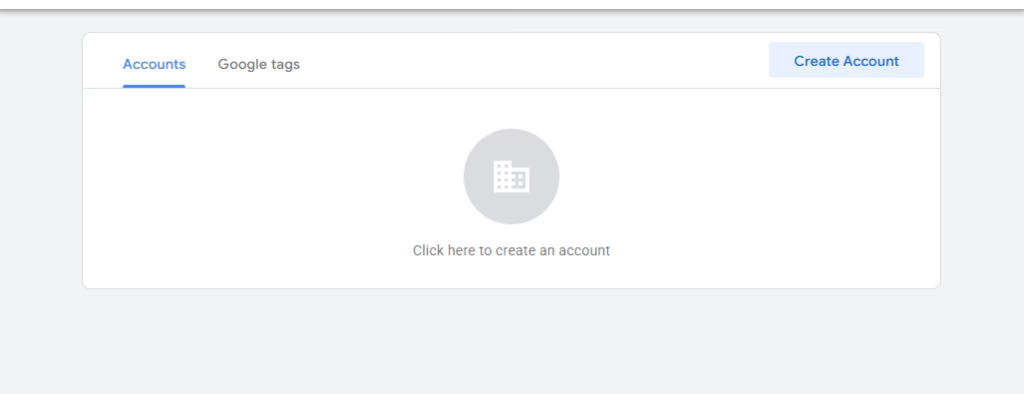
Step Two:
Click Create account and fill in the information, making sure to click "Web"
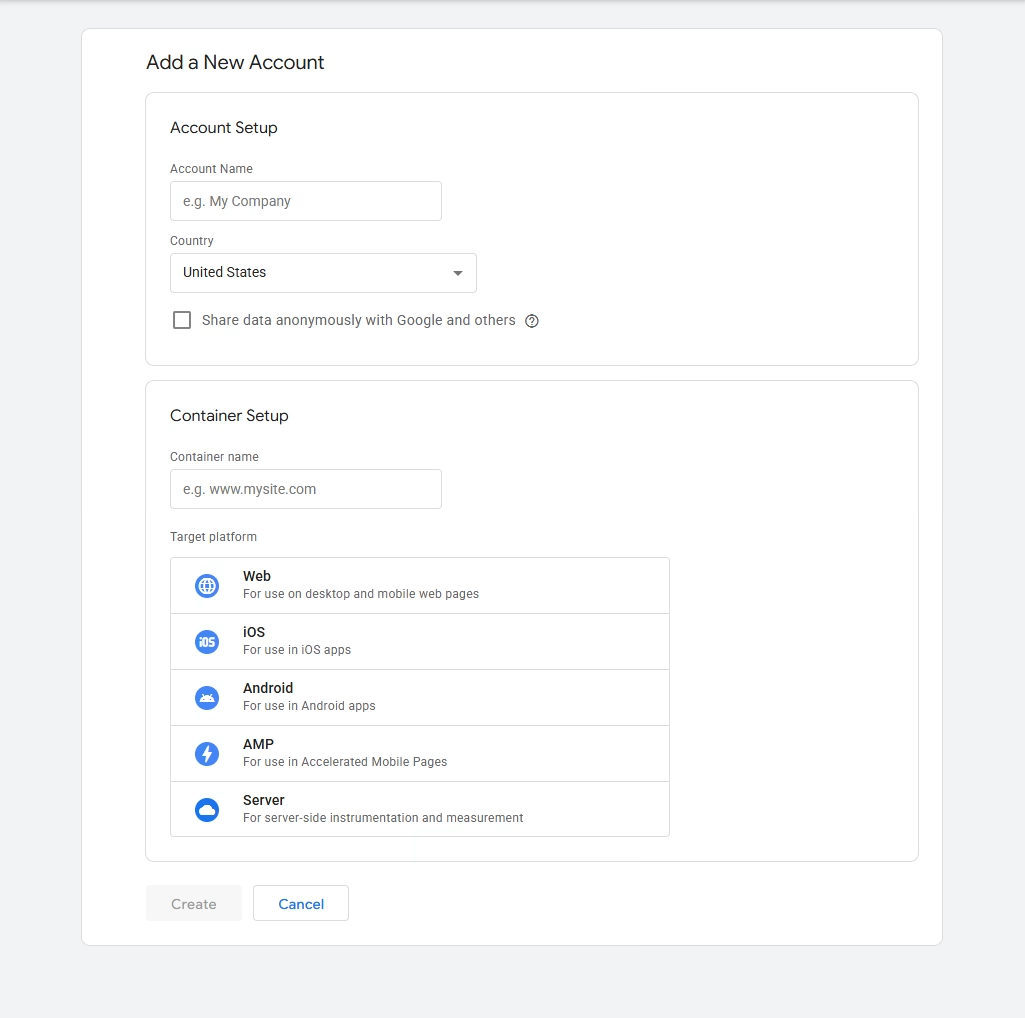
Step Three:
The next step involves you adding the code to the header of your site, just like with Google Analytics's Code, so you can follow the Google Analytics steps to add the code to your header.
The next tool is targeted mainly at boosting your local SEO.
A Google My Business page is a great free asset to have when trying to do local SEO. A Google My Business page normally contains, information about where you do business, ways of contacting your company, some images, and a description of the services you offer.
Here is how you set it up:
Step One:
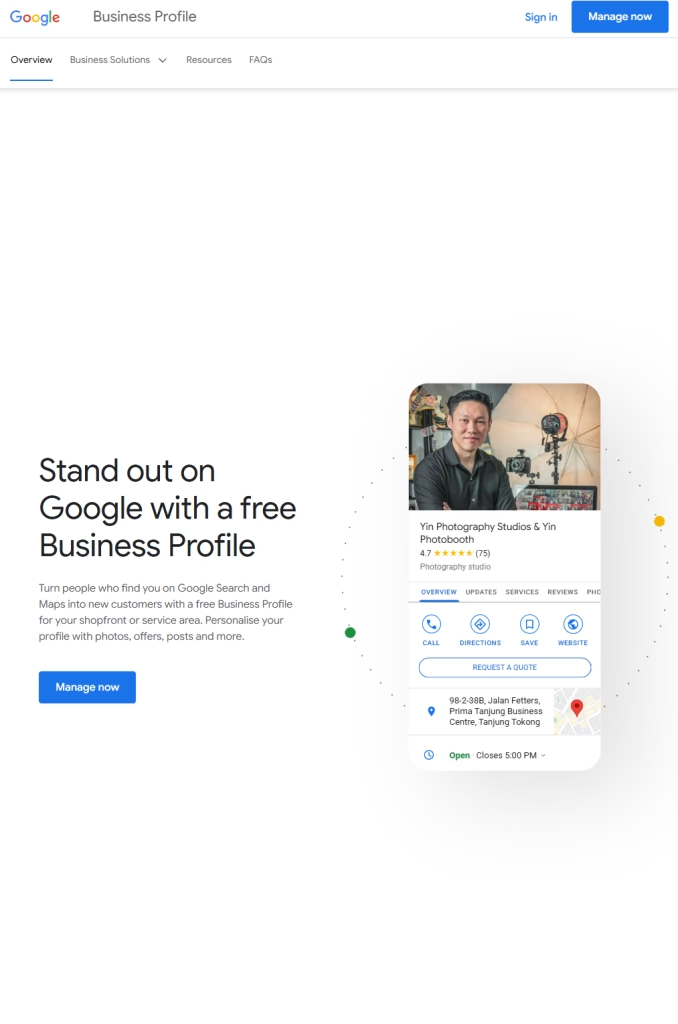
Head to Google My Business and log in with your Google account.
Step Two:
Click Manage Now and Enter Your Business Name.
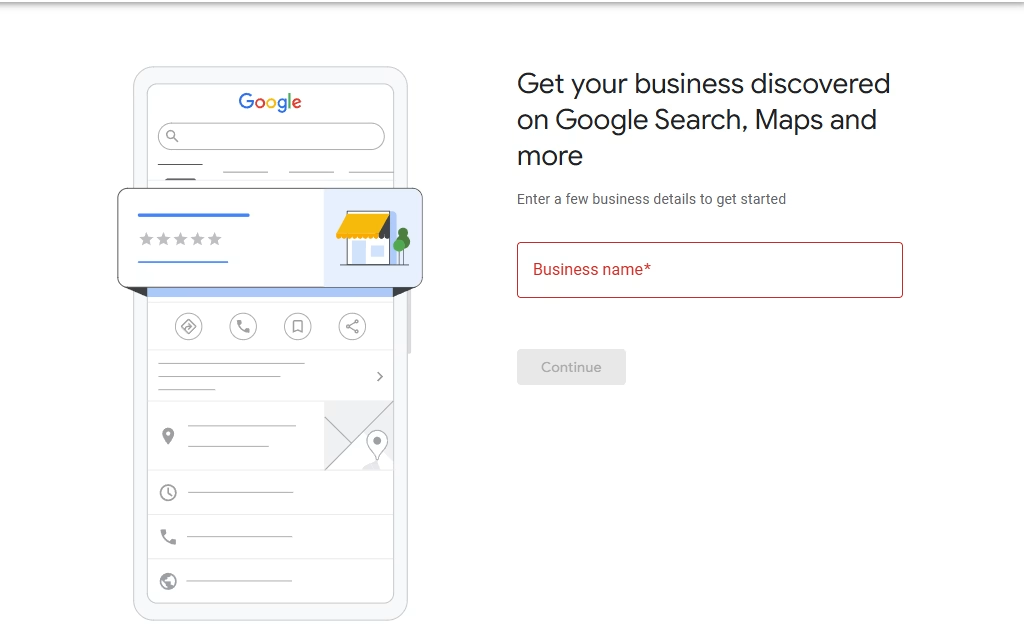
Once you have found your company's Google My Business Page, you can follow the steps to edit it.
That covers all the main tools that many people know about and use on a regular basis. Now let's talk about the lesser known tools.
Answer The Public is a website that allows you to examine what type of questions people are searching for related to your industry. Here's how it works:
Step One:
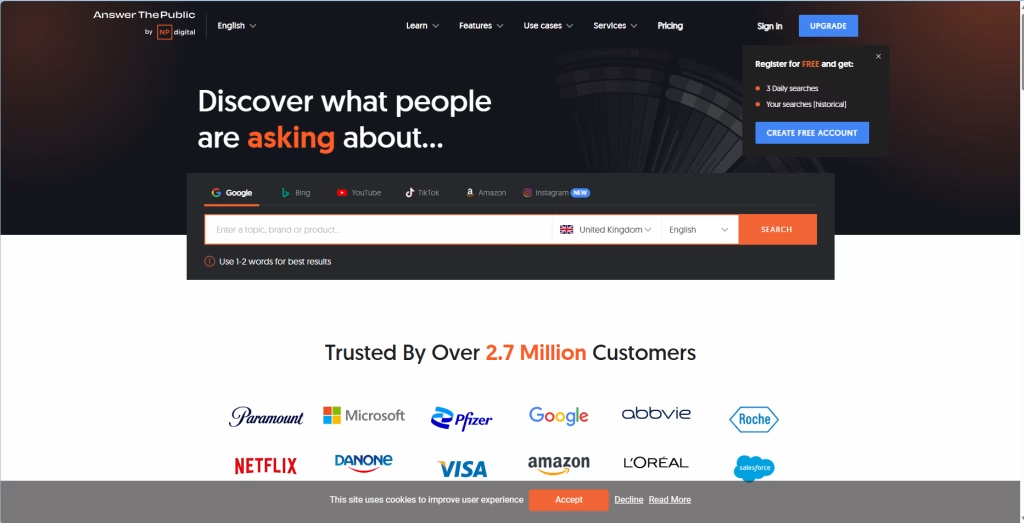
Head to Answer The Public
Step Two:
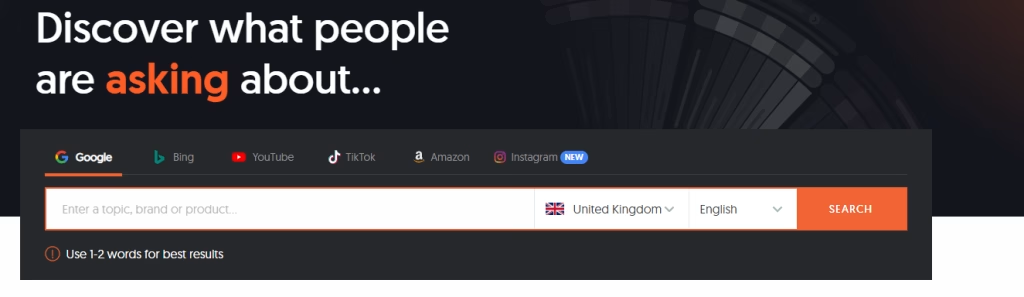
Enter 1-2 words for the best results inside he search bar, and it will generate a report.
Ahrefs free keyword generator, allows you to search for keywords and gives you key metrics, like search volume and difficulty score. These metrics are incredibly important for on-page optimisation but more on that in another episode.
Here's how it works:
Step One:
Head to Ahrefs Free Keyword Generator.

Step Two:
Select your search engine and local and then enter your keyword you wish to learn about.

An SEO plugin is a tool that allows you to edit your site's SEO metadata from the backend without needing to know how to code. This tip only applies if your site is built on WordPress, but we recommend you use SmartCrawl or Yoast.
We’ve covered a lot in this blog, but now that we have all of the software set up, it’s time to start the actual SEO process. In the next episode, we’ll be diving head-first into keyword research, one of the key pillars of SEO.
So Stay tuned, Stay Super, and I'll see you in the next one!